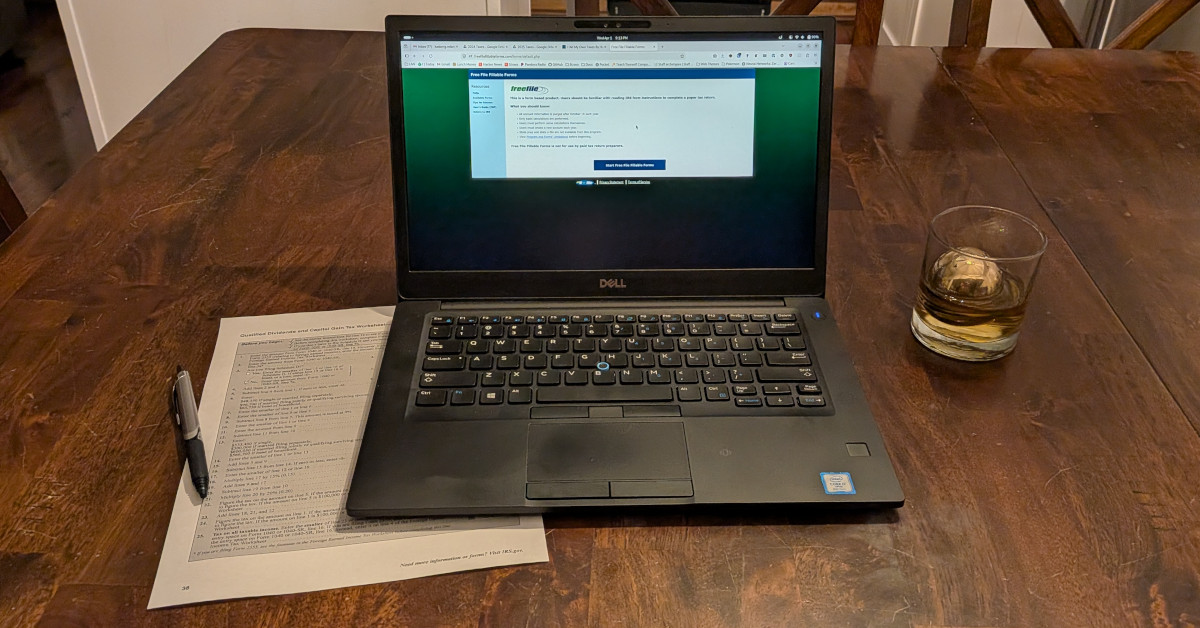
Doing My Taxes By Hand, with AI!
I’ve been doing my taxes by hand (on Free File Fillable Forms) for several years now. I prefer doing my taxes by hand over using tax software because it’s actually not that hard to do it by hand, I learn a little more about how taxes work along the way, and I hate companies like Intuit and don’t want to pay them any money to prepare my taxes for me. This year, it was easier than ever with the help of some AI tools!
AI Along the Way
The first and most obvious way I used AI to help me prepare my taxes is I had it answer questions along the way. While the current year’s tax code is not in the model’s training data, for most parts it doesn’t matter. The tax code doesn’t change that much from year to year, so the AI has built-in knowledge of most forms. It can give quick answers like, “explain how to calculate line 11a of form 1040”. And it can give even better answers when you ask about specific terms or concepts instead of line numbers (which may shift from year to year), like, “explain how adjusted gross income is calculated”. Free File Fillable Forms provides links to the instructions for any form you’re on. I’ve leaned heavily on these instructions in previous years, and they’re still a great way to double-check the AI. But I saved a lot of time this year by using the AI to get quick answers rather than searching a big PDF for the right instructions.
Using AI to answer simple tax questions while doing your taxes is a pretty obvious use of AI, and I’d be happy with it if that were the only improvement. But I think that’s actually just the tip of the iceberg.
AI As An Extra Check
I used Google Gemini to double check my work before submitting my tax return to the IRS. It worked really, really well (despite a couple gotchas), and was probably more impactful than anything else I did in both saving time (since I could spend less time double-checking things myself) and in peace of mind (since I felt more confident doing my own taxes with an AI checking my work than I ever have in the past).
As always, you need to be a little bit careful about what data you send to an LLM. Different providers offer (or don’t offer) different kinds of security guarantees about who can (or can’t) see or train on your data. And tax returns have sensitive info on them like full names and social security numbers. I don’t have any big concerns sharing somewhat sensitive info with Google, but still didn’t want to upload my SSN to an LLM. Fortunately, I found a pretty easy way to let Gemini check my return without sharing my most sensitive info – I just deleted my SSN and other sensitive info from the document on freefilefillableforms.com and hit print (to save it as a PDF). I uploaded the sanitized PDF to Gemini, then added my sensitive info back in. This worked really well because I was able to have an LLM audit the important parts of my tax return without associating it with my name and SSN.
Along with the PDF of my anonymized 1040, I gave Gemini a prompt like the following:
Imagine you are my professional tax advisor and accountant. Review this draft of my 2025 federal tax return (Form 1040) and the attached forms. Look specifically for:
- Missing or incomplete information
- Mistakes or inaccurate information
- Places that reference other lines (e.g. enter the value on line 7 below) that are inaccurate
- Missed opportunities to save money
- Verify there are no common mistakes
Also provide a short high-level overview of your analysis of the tax return form, as my financial advisor and accountant.
I didn’t spend a lot of time making that prompt, but I was impressed how well it performed for me, despite the LLM making a few funny and obvious mistakes. I used the free tier of Google Gemini Pro to do this, so pretty much anyone can probably get similar results even if you don’t have a subscription to an AI. Here are some of the interesting excerpts from my conversation:
Missing or Incomplete Information
Social Security Numbers: On page 1, your SSN field simply says “MICHAEL”. These fields must contain your actual 9-digit numerical SSNs.
Yes, duh. This was just because I scrubbed it from the PDF before I uploaded it. But this was also a great sanity check to make sure the LLM would actually catch errors, so I was happy to see the note.
Direct Deposit Details: You elected to have your refund directly deposited. However, the routing number and account number lines are completely blank.
Lol, yes again. Thanks robot.
Alimony Date: Schedule 1 shows $NNN in alimony received. The date of the original divorce or separation agreement is missing.
Lol, no, I’m not divorced and I don’t have alimony. This was a funny one that highlights the importance of understanding the limitations of AI tools. Something about the way the PDF was formatted caused the LLM to think that my entry in Schedule 1 line 1 (Taxable refunds) was actually on line 2 (Alimony received). This was not a real mistake, so I just ignored it.
Mistakes or Inaccurate Information
SALT Deduction Cap: On Schedule A, your total State and Local Taxes (SALT) add up to $NN,NNN. The draft 1040 brought this exact amount down to line 5e. Typically, the SALT deduction is legally capped at $10,000 for married couples filing jointly. The draft text unusually mentions a $40,000 limit. We need to ensure we don’t accidentally over-deduct if the standard $10,000 limit applies.
Another idiosyncracy of AI. It finds the $40K limit “unusual” because it was trained on forms for the previous year, when the limit was $10K. Schedule A instructions for tax year 2025 highlight the higher SALT cap compared to previous years. So my taxes were already correct and the AI didn’t catch a real problem here, but it’s interesting to see the effect of the knowledge cutoff.
Dividend Mismatch: Form 1040 Line 3b shows $NNN in ordinary dividends. Conversely, Schedule B Part II shows $0 for the dividend subtotal. These figures must align.
Wow, a real mistake! Good job robot, this is what we’re here for! I’d entered my ordinary dividends directly on 1040 Line 3b, and neglected to add them to Schedule B. I’d like to think I would have caught this mistake myself if I spent a lot of time manually reviewing my return, in lieu of AI, but I might not have. So even while the AI’s notes aren’t perfect, catching this mistake gave me a lot of confidence in using it for this kind of review, and in being able to double-check my own taxes with a tool that I didn’t have last year. This is awesome! I’ve been doing my own taxes for several years, and the part I’ve felt most uneasy about is how easy it is to make mistakes. In the past, I’d spend an hour or more double checking things, but I’m actually a lot more confident than I’ve ever been now that I have the help of AI!
Aside from the excerpts above, the AI also gave me a sanity check on some of the usual discussion points you might have with a tax advisor (itemizing deductions, retirement contributions, etc). It gave good (if somewhat standard) advice, while also double checking for common 1040 mistakes and confirming that I didn’t have them.
Ideas for Next Year
Having gone through this exercise, what would I do differently next year? I think I could leverage the AI to do a lot more of the heavy lifting for me. It was a little tricky to figure out how to approach using AI to do my taxes since it doesn’t fit cleanly into my usual (programming) workflow, and since I only do my taxes once per year. But in hindsight, if I were going to try to do this better next time, I’d give the AI all the info it needs to be successful with this year’s tax code and have it take a first pass at actually doing my taxes (rather than doing the first pass myself with AI help). Then I’d probably have a second completely separate AI review the taxes before giving it a final review myself. In practice, that would probably look like adding all the blank forms I’d expect to use to Free File Fillable Forms so I could print a blank PDF tax return with all the forms I’d need. I’d create a directory with the blank tax return, instructions for all the forms, and PDFs of my own tax documents (W2, 1099, etc). Claude code should be able to read PDFs (but you never know if it’ll understand odd formatting on some of these forms). Ultimately, I’d want Claude to give me a markdown document with the values I should enter on each line of my blank tax forms. I’m not totally sure how well all that would work since I haven’t actually done it, but hopefully by the time I get around to trying this next year the LLM tools are good enough that all this is easy and works well!
In a perfect world, instead of using AI to do our taxes, they would just be done for us automatically by the government (as they are in most other countries in the world). But since they’re not, there’s never been a better time to do your taxes yourself!
If you’re the kind of person who wants to do your taxes yourself, you might also be interested personal finance apps! Lunch Money is the best budgeting, net-worth tracking, and personal finance app I’ve ever used (see my comparison), and you should check it out if it sounds interesting to you!
About the Author

👋 Hi, I'm Mike! I'm a husband, I'm a father, and I'm a staff software engineer at Strava. I use Ubuntu Linux daily at work and at home. And I enjoy writing about Linux, open source, programming, 3D printing, tech, and other random topics. I'd love to have you follow me on X or LinkedIn to show your support and see when I write new content!
I run this blog in my spare time. There's no need to pay to access any of the content on this site, but if you find my content useful and would like to show your support, buying me a coffee is a small gesture to let me know what you like and encourage me to write more great content!
Related Posts
- I Did My Own Taxes By Hand (and You Can Too!) 15 Mar 2024
- I Fought the IRS for Over $12K – and WON! 13 Apr 2025
- Better Related Posts in Jekyll Using AI 23 Apr 2024