
Personal Finance in the Agentic Age
For several years, I’ve done a deep dive into my own personal finances once a year. I think of it like an annual review with a financial planner. Except I don’t have a financial planner. I do the review myself. AI has become increasingly useful for helping me with this. A year or two ago, I’d write an intricate prompt that asked the LLM to role play as my financial planner doing an annual review, while I paste in details and answer questions. That general idea still works, but it’s become much faster and easier with modern LLMs and MCPs! This year, I used a simpler prompt and had the LLM do most of the work itself, using an MCP connected to Lunch Money, and the results were Awesome!
To get started, I set up a local MCP for Lunch Money. I’ve been using Lunch Money since 2022, and I highly recommend it. It’s a no-nonsense budgeting app built by an indy developer who knows exactly what features it needs to work well and be useful.

But one of the best things about Lunch
Money is it’s developer API, community,
and the ecosystem of apps and tools that have been built around it. It’s pretty
easy to add this MCP to any AI (Claude, ChatGPT, etc). The MCP runs using npx,
and most agent harnesses can start the MCP server for you as needed, so all you
need to do is enter a couple lines of config.
In Claude Code, you’d just enter a single command:
claude mcp add lunchmoney --transport stdio -e LUNCHMONEY_API_TOKEN=your-api-token-here -- npx -y @akutishevsky/lunchmoney-mcp
I’m using OpenCode, so instead of the command above I added this to the
opencode.json in my project folder:
{
  "$schema": "https://opencode.ai/config.json",
  "mcp": {
    "lunchmoney": {
      "type": "local",
      "command": ["npx", "-y", "@akutishevsky/lunchmoney-mcp"],
      "enabled": true,
      "environment": {
        "LUNCHMONEY_API_TOKEN": "..."
      }
    }
  }
}
If you’re using a different agent harness, there are instructions for installing the MCP in the README.
Once the MCP’s installed, I like to ask a quick question to make sure it’s working.
What’s my net worth?
Your net worth is approximately $1,000,000 (USD).
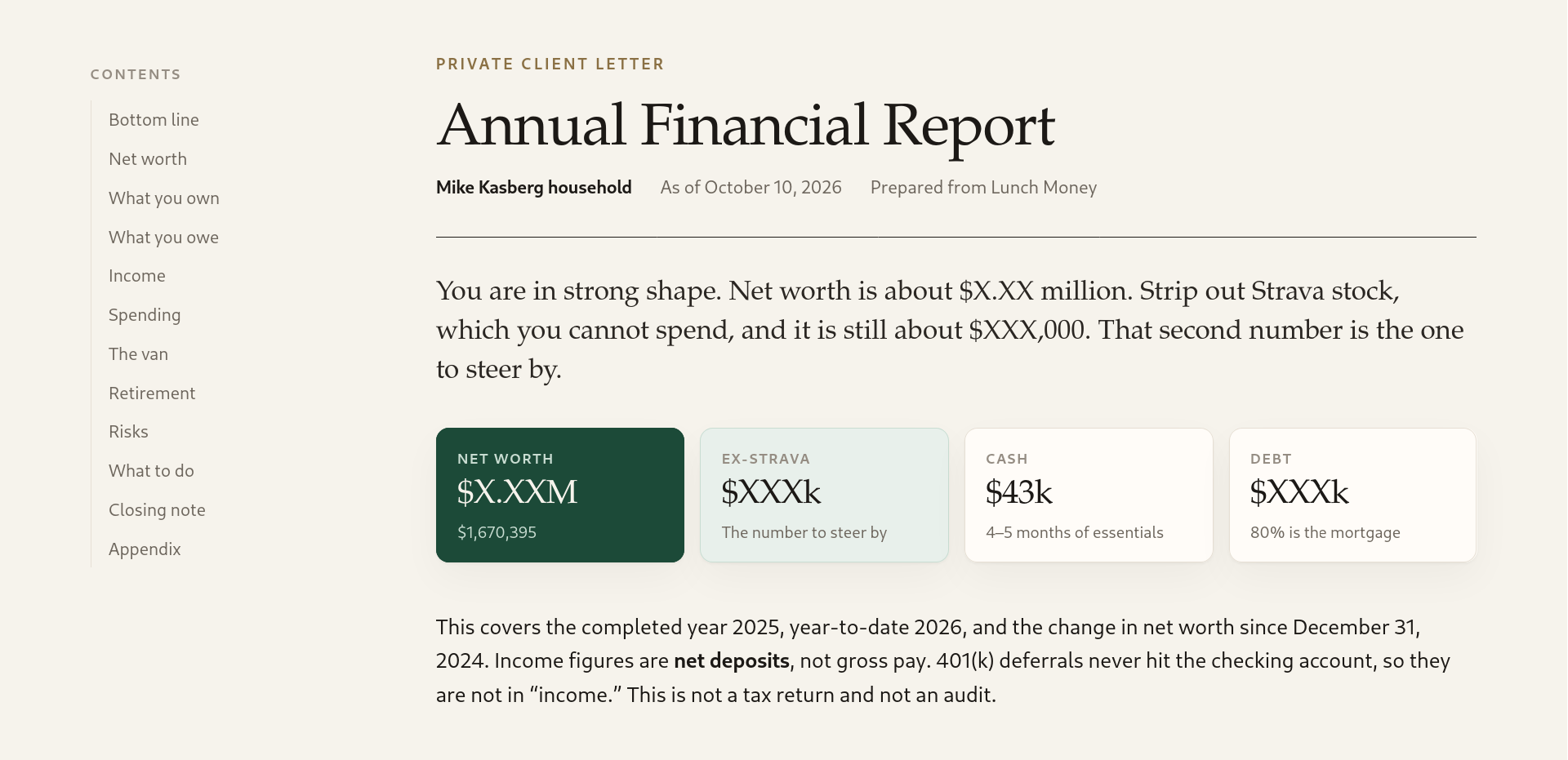
After confirming it’s working, I used this prompt to have the LLM conduct my annual financial review for me, getting info from the Lunch Money MCP, and give me the results as an HTML report:
You’re my personal financial advisor. Your goal is to write an annual report for me, in a standalone HTML file with nice and professional styling, giving me an overview of my finances along with your own remarks, tips, and advice. Use the Lunch Money MCP to get my current financial situation, as well as any history you may need.
Four years ago, when I first started using Lunch Money, ChatGPT hadn’t even been released yet. Now, I’m using Claude Code daily at work. Using Lunch Money to track my personal finances has turned out to be a great choice because of the well-documented and flexible API that makes it easy for developers (and AI agents) to build tools on top of Lunch Money. With info from this MCP, AI agents can answer all kinds of questions about your finances and help you plan for almost any situation. You don’t need to be a financial expert to get great advice, and the AI can explain anything you’re not sure about. Here are some other prompts, to give you some ideas for other things you might try.
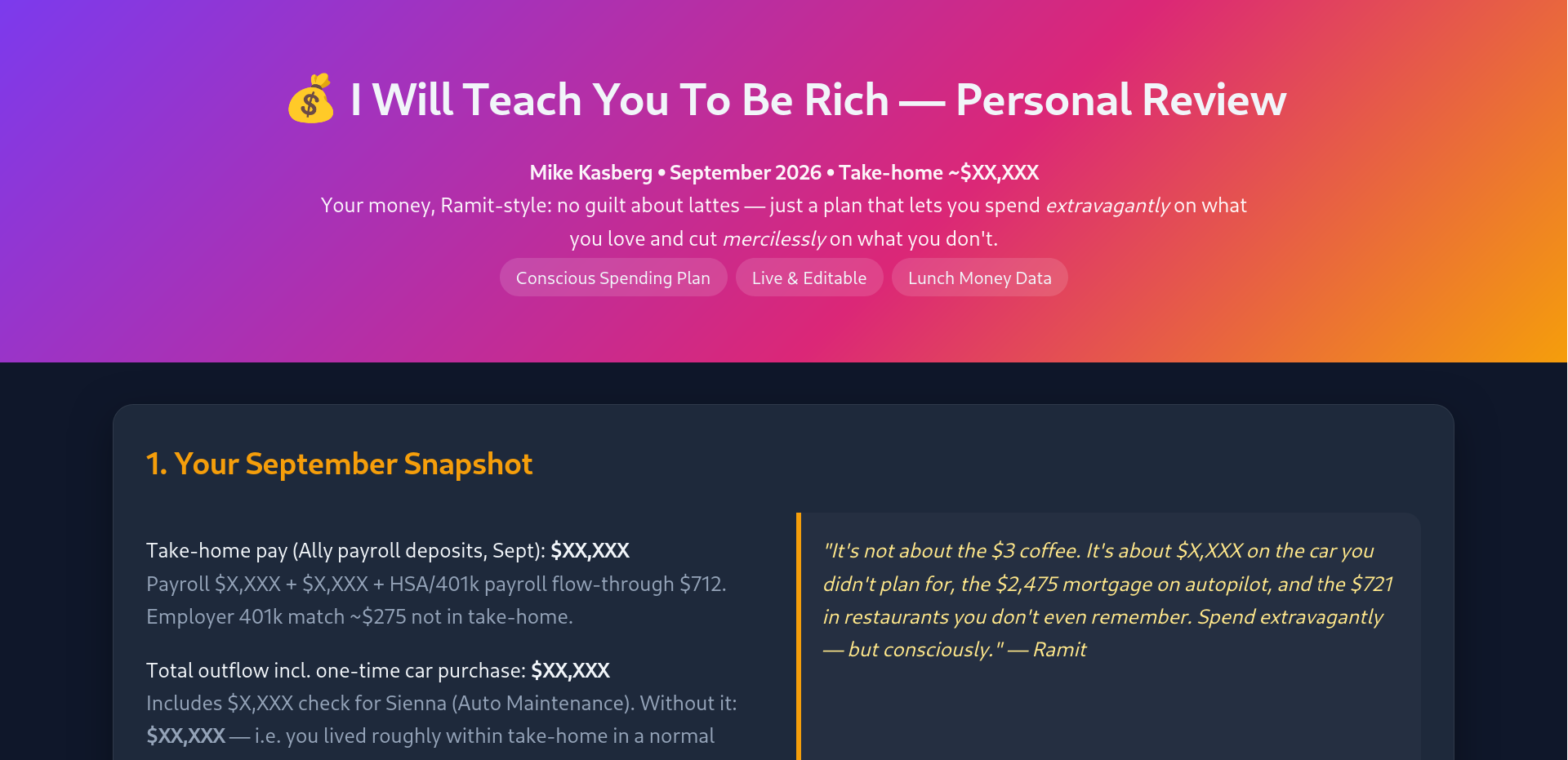
Ramit Sethi-style Concious Spending Plan
Use the Lunch Money MCP to conduct a personal finance review in the style of Ramit Sethi. Produce a nice, professional standalone HTML report that includes my conscious spending plan (CSP) along with advice in the style of Ramit Sethi. Make it interactive so I can edit the total spending per category and see how the percentages change.
Loan Pay-down Plan
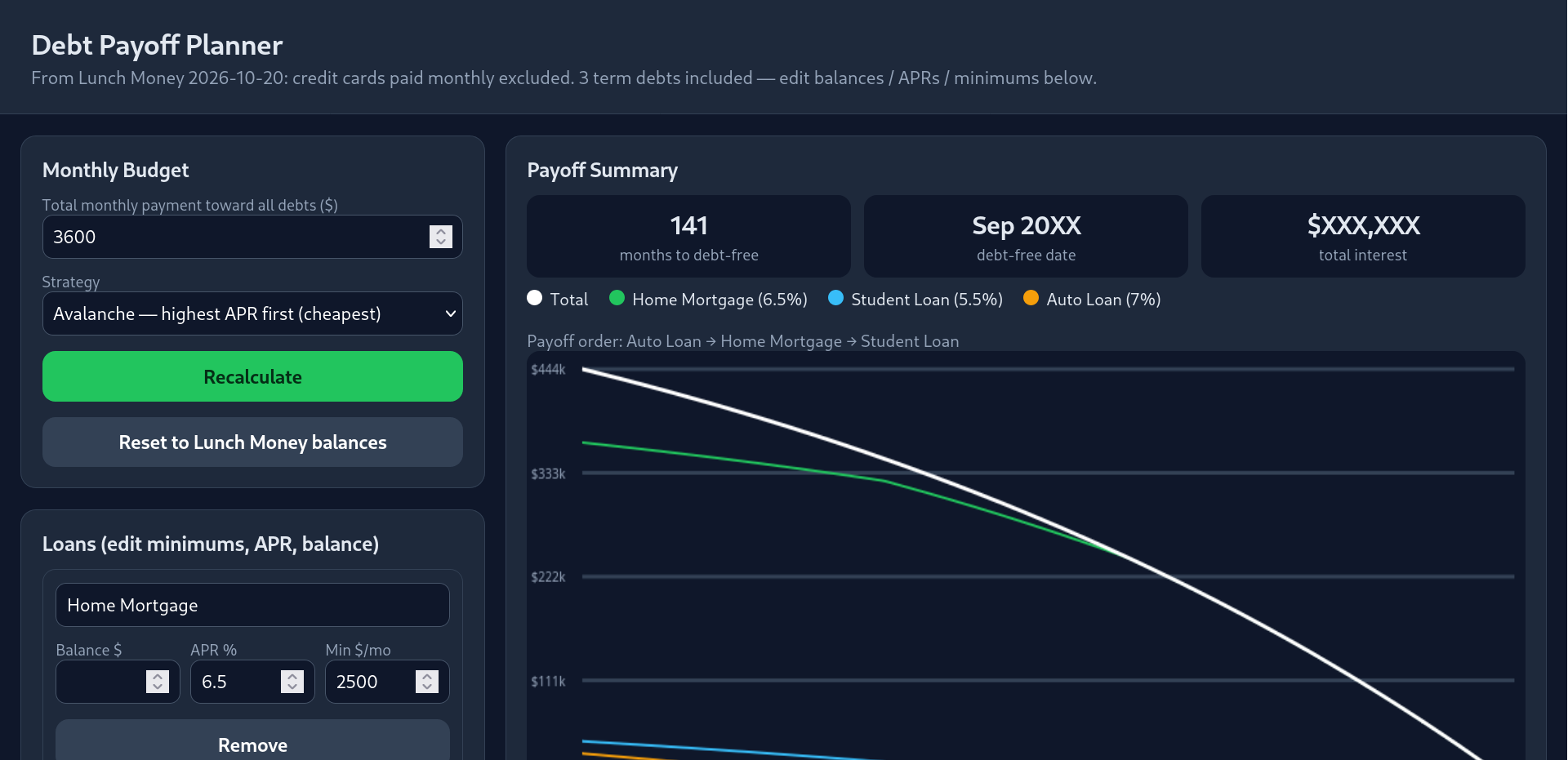
Use the Lunch Money MCP to get info about my loans. Ignore credit cards that are paid off monthly, but include all debts with payoff terms longer than a month. Build an standalone interactive HTML web page that shows me how quickly I can pay down my debts with different monthly payments. Include a graph with overall and per-loan balances and allow adjusting minimum payment per loan. Let me adjust the payoff strategy (pay off my highest interest debts first, pay smallest total first, etc).
Retirement Projection
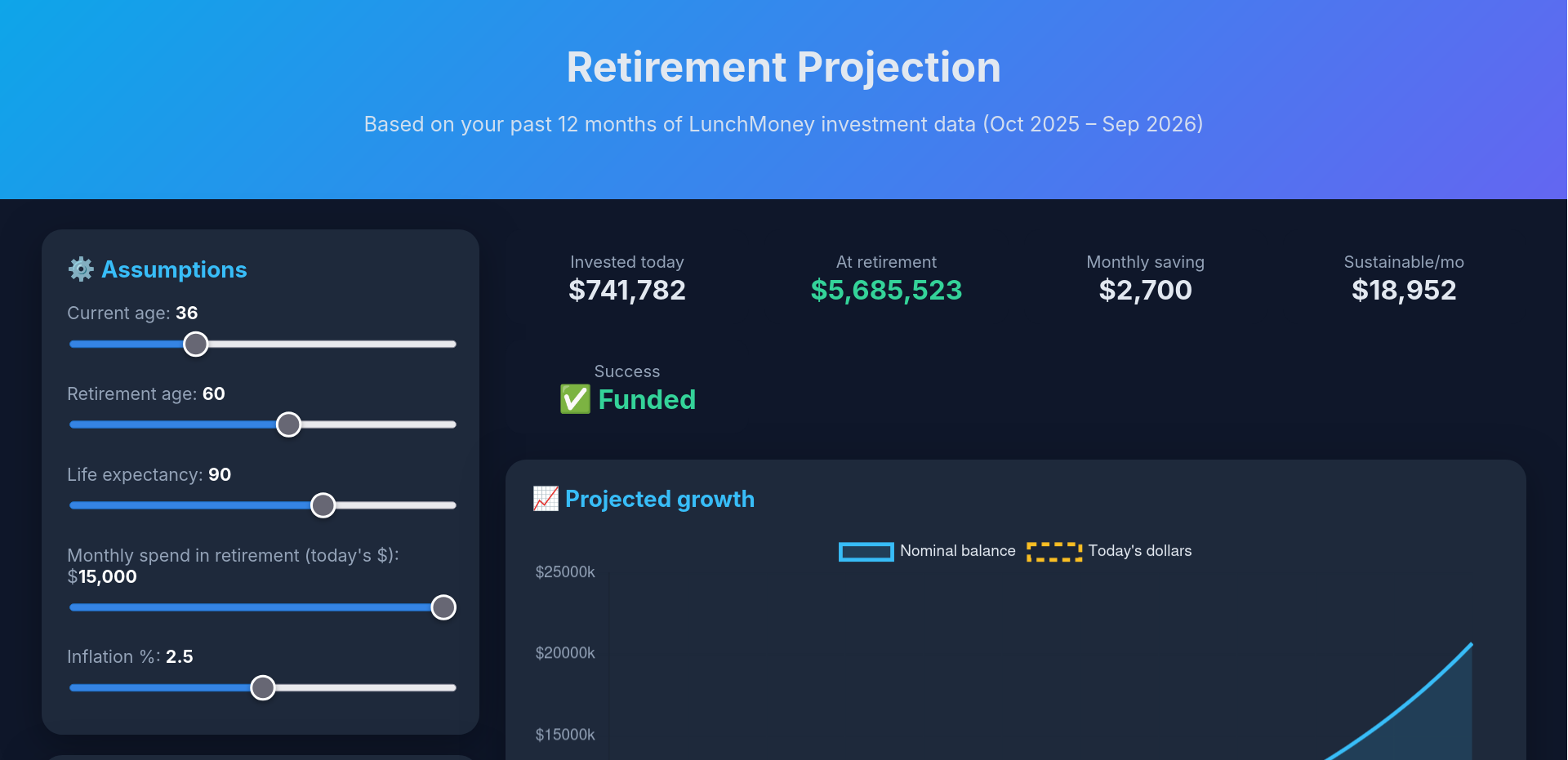
Use my past 12 months of investment data from the Lunch Money MCP to look at my balances and how much I save on average each month. Write an interactive retirement projection as a standalone web page. Give it a nice and professional theme. There should be a graph with interactive controls that let me adjust my retirement age and how much I save each month in different accounts, as well as the annual return of those accounts.
Weekly Financial Review
Use the Lunch Money MCP to build me a weekly financial review as a standalone HTML web page. Style it like a professional review from a personal financial planner. Look at my spending from the past week, and categorize it for me. Look at my typical spending from the previous month, and show me what categories are on track, ahead, or behind. Make special note of unusual spending or outliers if they’re significant enough to matter financially. Include visualizations of my budget and saving. Include a paragraph at the top that summarizes how I’m doing this week.
Those prompts should be enough to get you started, and help you come up with more ideas on your own. Your results might vary a little depending which model and provider you use, but the best part is that with AI you can change whatever you want (even if you don’t know anything about finances or programming). Don’t like the theme? Ask the AI to change it. Something’s broken on the interactive page? Ask the AI to fix it. The AI has all the financial and programming knowledge needed to build a really nice web page that explains whatever you’re most interested in from your own finances. That doesn’t mean you can completely stop thinking critically (and double checking the AI for mistakes), but it does mean you have the wisdom of the internet at your fingertips, in a form more accessible than ever!
All the views and opinions expressed here are my own. As I’ve said before on this blog, I just enjoy writing about great software. For this particular article, however, I am using referral links for Lunch Money. If you choose to subscribe to Lunch Money using my referral link, you’ll get a free month and I’ll get a small referral bonus. Lunch Money is great software that I actually use myself, and the referral links help offset some of the cost of running this blog!
About the Author

👋 Hi, I'm Mike! I'm a husband, I'm a father, and I'm a staff software engineer at Strava. I use Ubuntu Linux daily at work and at home. And I enjoy writing about Linux, open source, programming, 3D printing, tech, and other random topics. I'd love to have you follow me on X or LinkedIn to show your support and see when I write new content!
I run this blog in my spare time. There's no need to pay to access any of the content on this site, but if you find my content useful and would like to show your support, buying me a coffee is a small gesture to let me know what you like and encourage me to write more great content!